

Data Storage - Then and Now

While I was updating my home office (see the previous blog entry) a point occurred to me when I was looking at my old DVDs containing a lot of old Poser and other content. How do we store data now compared to, well, times past?.
The Elder Days
That is, pre-the year 2000. This section is going to sound like something from the dark ages to anyone younger than about 40.
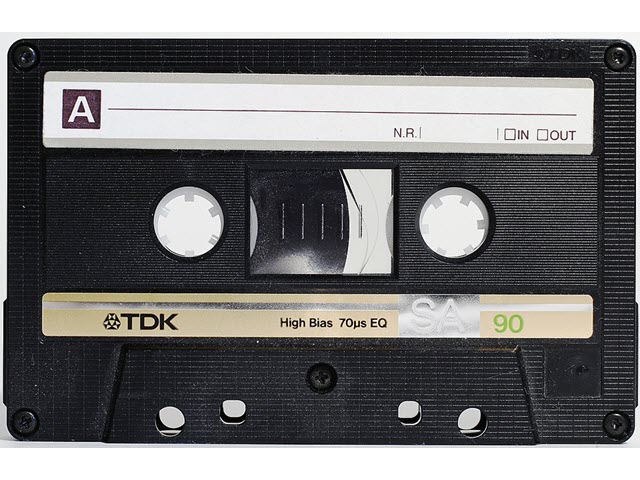
My first computer, in 1983,was an Atari 800. Data storage, whether for commercial software (mostly games in those days) or user-generated data was on cassette tape. This used a cassette player to convert the digital output of the computer into audio format and stored it on the tape, which had originally been developed for storing music. The tape capacity wasn't much - 300K or so - and it was very slow to save and load. Most home computers at that time used systems like this. Because of the small capacity and long loading times, and the susceptibility of the tape to damage, some machines such as the Atari also used ROM cartridges. These had the awesome capacity of 16K but the loading time was almost instantaneous; they were used mostly for games and sometimes for other apps. For example, I remember using a 6502 assembler which was supplied on cartridge.
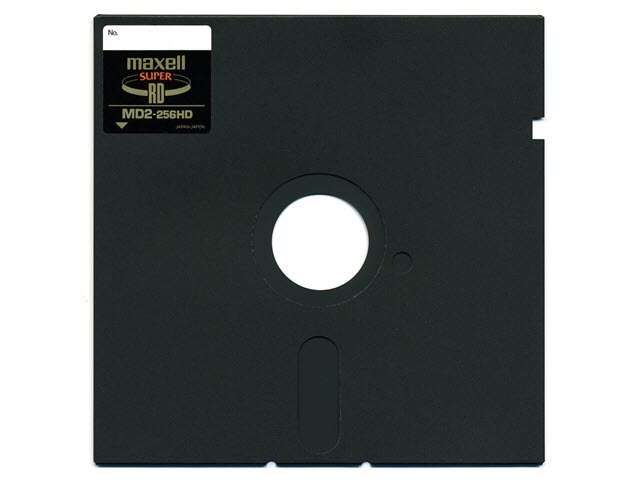
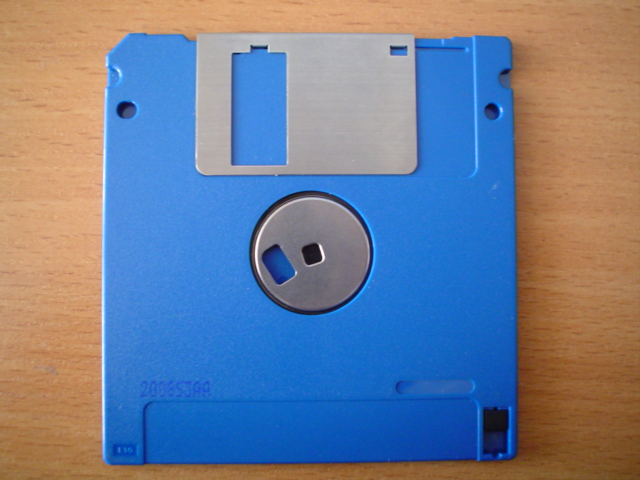
Clearly, something more was needed and the result was the floppy disk - think removable, rewriteable storage using a thin plastic film coated with a magnetic medium. For home use, the original disk was a 5.25 inch floppy with a capacity of about 360K, and it was much faster than cassette tape, plus it allowed random access - with a tape, if you had five items stored on it they were stored one after the other and you had to go the correct point on the tape to load the file you wanted. However, these disks weren't very convenient - they were large and too susceptible to damage - so in time they were replaced with the 3.5 inch floppy, with a massive 720K capacity (later that became 1.44Mb!). These were smaller, protected in a rigid case, and were far more convenient. Many people would have had several storage boxes filled with scores (or even hundreds) of 3.5 inch floppies. The reign of the 3.5 inch floppy was a long one and software manufacturers would supply their apps on multiple disks. Many people will remember installing apps from these devices with the repeated instruction to 'Please insert disk x' to complete the installation.
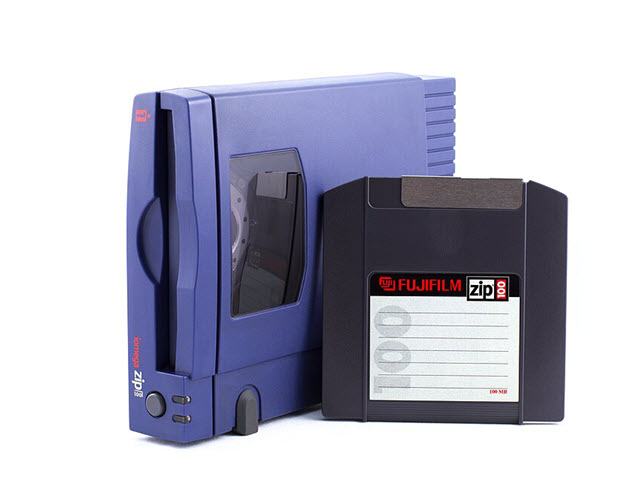
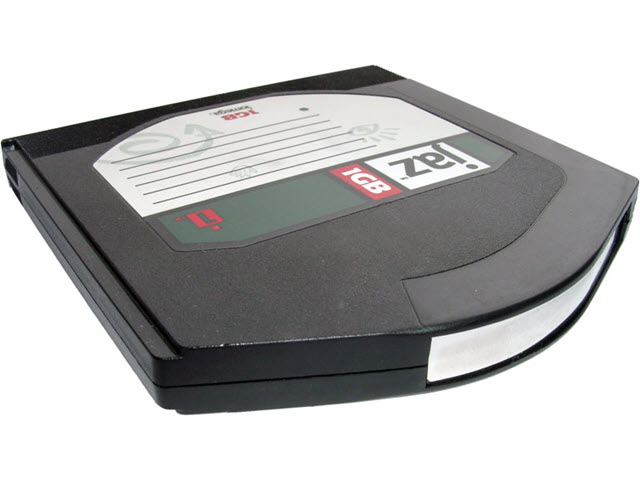
The capacity of these disks wasn't great, but a company named Iomega produced a kind of mega-floppy called the 'Zip disk'. This was still a floppy disk but had a capacity of 100Mb, more in later versions. The disks themselves were larger than 3.5 inch floppies, and thicker too, but that was okay since one could replace 60-70 such disks. Zip drives were very popular, despite a notorious hardware problem which could result in a disk being stuck in the drive. Iomega also produced the Jaz drive, which wasn't a floppy - it was actually a removeable hard drive system using cartridges with a capacity of 1-2 Gb. I had one of those drives but wasn't greatly impressed; the drives and cartridges were expensive and had the same hardware problem as the Zip drive.
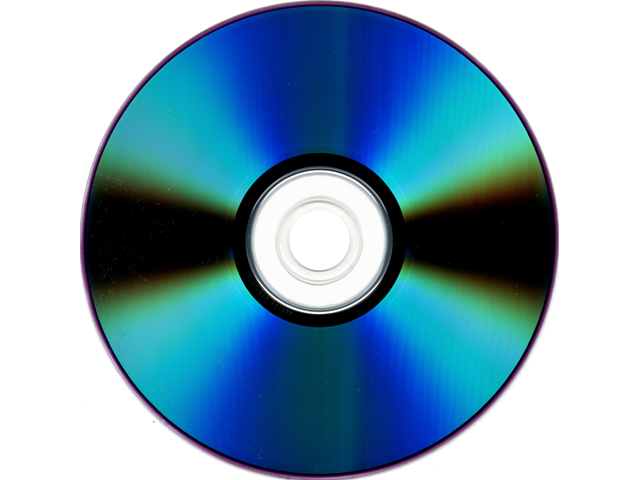
In any case, these systems fell by the wayside when optical disks became available, first the compact disk (CD) with a capacity of up to 700Mb, then the digital versatile disc (DVD) with 4.7Gb capacity. Initially read-only, writeable drives for use in home computers came later. A state of the art system round about that time - say the year 2000 or 2001 - would have had a 3.5 inch floppy drive and a built-in DVD writer, optionally with a Zip drive as well. Now software vendors could ship their products on DVD which certainly made installation a lot easier. The only problem was (and is) that optical drives, by comparison with conventional hard drives and solid-state disks, are very slow, especially in writing.
Examples of these different media are shown below - click the small image for a larger version. All images are attributed to Wikimedia commons and have been resized but otherwise not altered..
- 960px-Compactcassette
Cassette tape
- Floppy_disk_5.25_inch
5.25 inch floppy disk
- Floppy_disk_3.5 inch
3.5 inch floppy disk
- Iomega_Zip_100_drive_with_a_disk
Iomega Zip drive and disk
- Iomega_jaz-1-GB-Disk_01_KMJ
Iomega Jaz hard drive cartridge
- DVD-R_bottom-side
DVD writeable disk
The millenium
So, in the first years of the new millenium, most people would be installing software from DVD (the internet wasn't fast enough yet to make download and install practical) and burning stuff to be saved onto DVD. When I came to look through what I had stored, there were about 42 DVDs of assorted graphics content which I'd amassed over the years. With each DVD holding an average of about 4Gb of data each, that makes roughly 168Gb of data - not all that much really, in today's terms. But here's an interesting thing: those DVDs were burned in 2004, and stored in a disk folder for the next 20+ years. And of all those discs, none failed or were unreadable when I came to decide if I wanted to keep them. For all their supposed vulnerability to scratches and dirt, they survived well.
Now
I suppose the 20 years since then have been dominated by two things in data storage: the advent of high-capacity, very fast solid state drives, and the enormous increase in speed of the internet, making data storage off-site ('the cloud') eminently feasible. (I'm talking about ease of use here. Personally, I don't store anything at all in the cloud, for privacy and security reasons, I don't care what the various corporations say about how good their security is. Yes, that may be being paranoid. But that doesn't mean they're not out to get your data.) And of course, when was the last time you installed an app from a DVD? It's invariably download and install now - which is great because it allows rapid updates and bug fixes to apps, plus a vast range of any kind of content you could want. Neither would be true if we were still restricted to distributing stuff on optical disk.
Although all my DVDs had survived, as soon as I started to look at them it was obvious just how inconvenient a large number of removable discs really is. How do you search for something across 40+ individual discs? So rather than throw them - and all their data - out, I decided to copy the contents of each one to a hard drive. This was an NAS drive with backup to a second such drive, so hopefully there won't be any data loss, though the drive would need replacing if/when it develops faults - and it's true, that's not a cheap option; writeable DVDs are at least very cheap.
My current PC doesn't have an internal optical drive, only an external USB one, and it took between 6 and 8 minutes to copy the contents of each DVD to the NAS drive. Which was...tedious to say the least. But it makes the data much more readily available than having a bunch of DVDs. The transfer rate for each DVD was around 5-6 Mb/second on average, varying between 4 and 10 Mb/second depending on the content.
Now consider this: the NAS drive I used has a capacity of 4Tb, so at 4Gb of data per DVD, it could handle the contents of, say, up to 1000 DVDs! The 42 discs I had to copy barely made a dent in the available storage. Plus, my local network is gigabit ethernet so reading data from an NAS drive is way, way faster than reading an optical disc. Yet 25 years ago burning data to DVD was state of the art, for data storage at home anyway. How will we be storing data in 25 years time? How fast will it be and what capacity will it have? And will such storage be available for local use or will it all be in the cloud? My guess is that concerns about privacy especially are only going to increase, so I think the demand for local home or office data storage isn't going away. For sure, it'll be interesting to see what sort of device will be sitting on my desk if I'm still around in 25 years!
Sorry for the trip down memory lane. But it's not often you get a reminder you simply can't ignore about the advance of technology over the years. Cassette tape to terabyte-capacity drives in less than 40 years. Well, well.
Page last updated on March 5th 2026