

Creating a new plugin: 4
Creating the atoms
Now we have all the atom data required, it's time to create the atoms. This plugin is an ObjectData plugin, so creating objects will be done in GetVirtualObjects (GVO). Before we do that, there is an additional set of data that will be needed for the display. Supplied with the plugin is a comma-separated CSV file. This is a simple text file containing data about the first 94 elements in the periodic table. This data includes:
- atomic symbol
- colour (CPK colours, see here for details)
- covalent radius
- mass
- Van der Waal radius
This data lets us colour and scale the sphere representing the atom. The file (ptable.csv) is loaded when the plugin runs, keeping it in memory as an array (m_chElements) of structures holding the above data. As long as we know the atomic number of the atom to be created, we can use that as an index into the array of elements and use the colour data etc. for that atom. So, in GetVirtualObjects() the process is very simple:
if(m_theOpts.display != PROT_MOL_DISPLAY_BONDS)
{
for (index = 0; index < m_ProtAtoms.GetCount(); index++)
{
atomObj = CreateAtom(hh, index);
if (atomObj != nullptr)
{
The first line simply bypasses the atom creation if the user only wants to show bonds. GVO will call the function CreateAtom() with the index of the atom structure in the array of atoms, repeating for every atom in the array. All the CreateAtom( ) function does is generate a sphere primitive with the colour specified for that atom in the array m_chElements, and scales it using the option selected by the user, again using radius or mass data from m_chElements. The sphere is returned to GVO, which inserts it below a placeholder object - which is a null object in this case. GVO then returns the null object to the scene with all its atoms as child objects of the null.
The result
The above is basically all there is to it. The hard work was done when loading the atom data from the PDB file. What you get looks like these examples here:
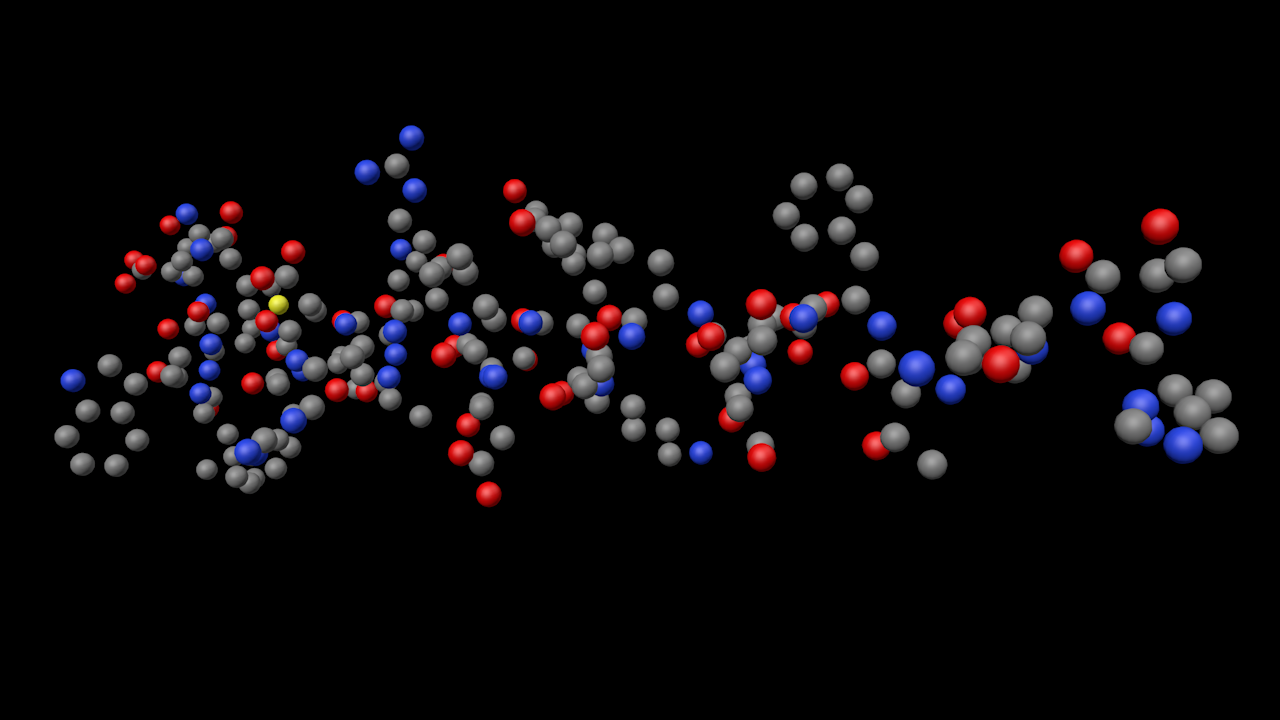
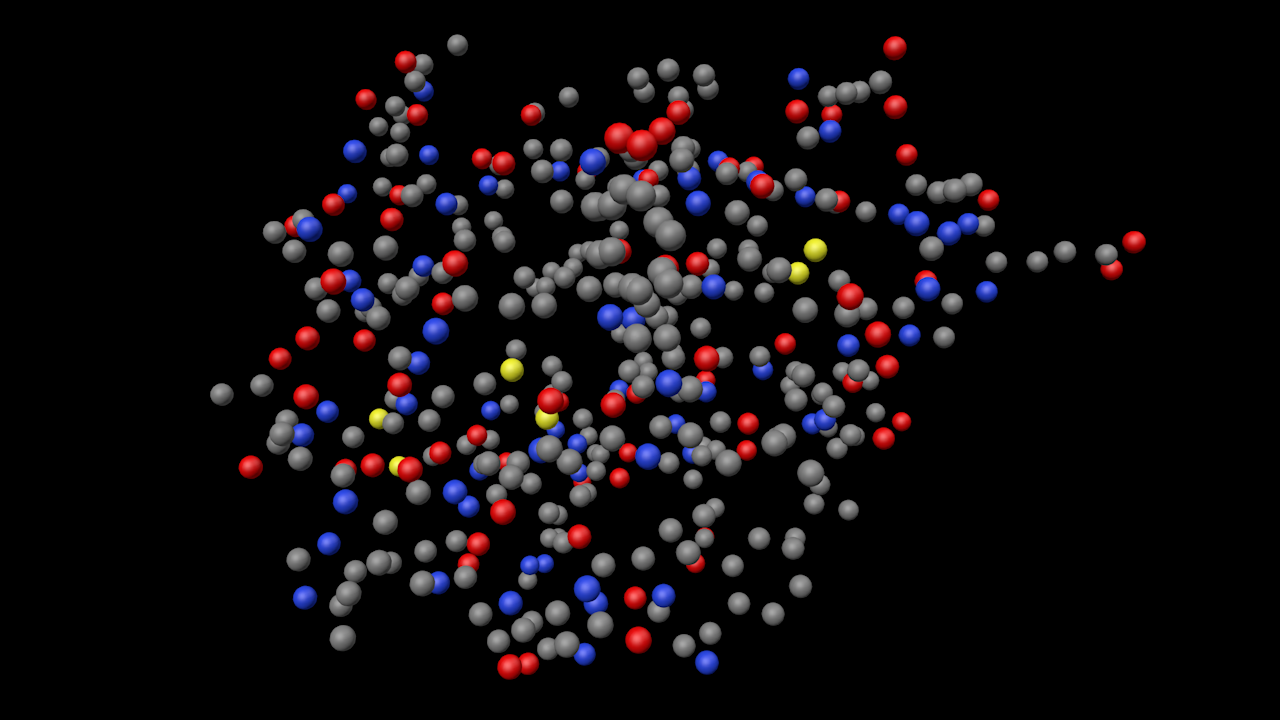
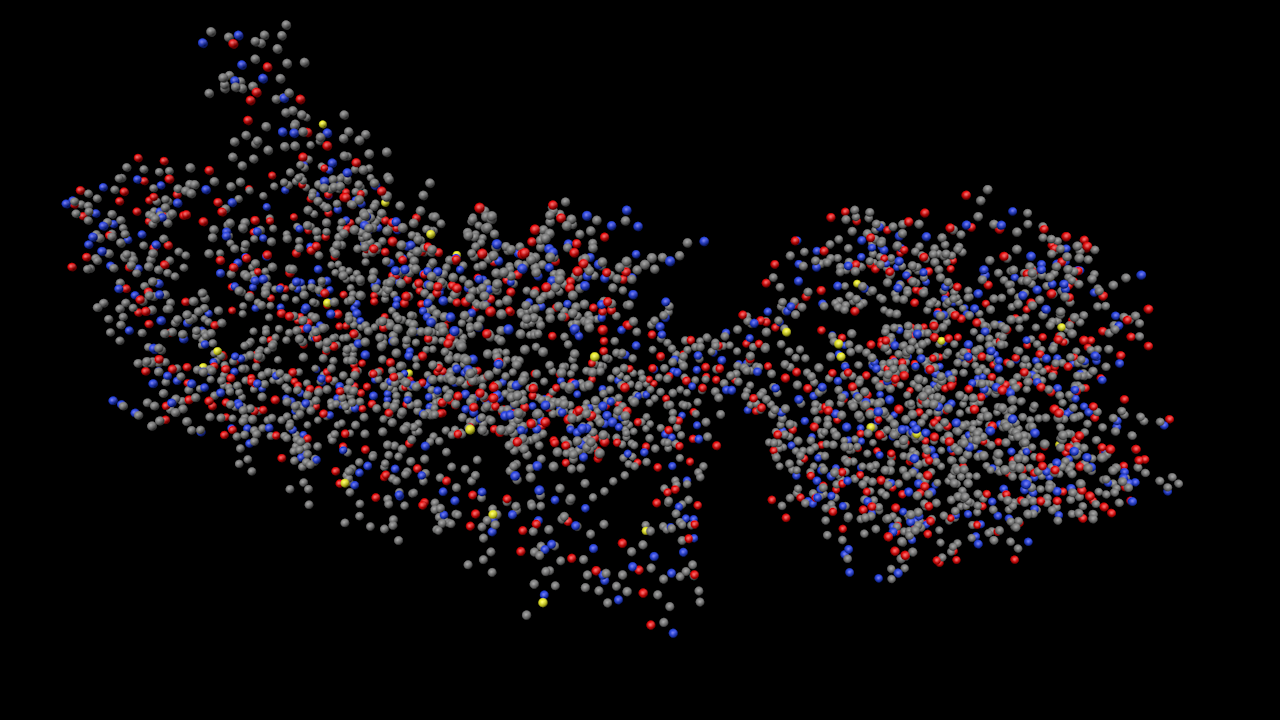
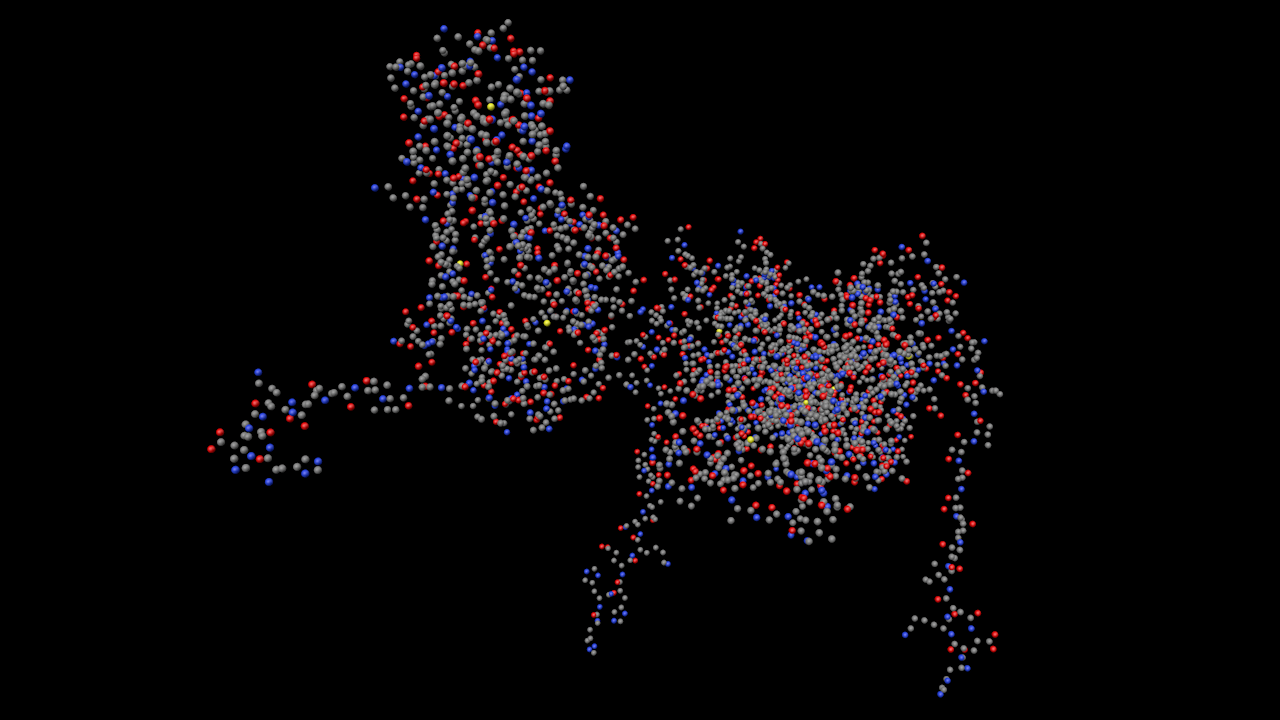
- Glucagon
Simple one-chain molecule with 29 residues.
- Insulin
More complex protein with two chains and a total of 51 residues.
- Gastrin-releasing peptide receptor
Much larger molecule with 521 residues in one chain and over 3400 atoms in the peptide chain.
- CFA/I Fimbrial subunit B
Complex molecule with 3 chains comprising more than 440 residues and over 3,200 atoms.
You can see from the colours that, as you'd expect, most atoms are carbon, nitrogen and oxygen, with the occasional sulphur atom (the bright yellow ones).
Good progess so far, but...
This is interesting in itself and proves that the atom loading part works fine. The next part is really tricky, and it's how to show the covalent bonds in the molecule. That's essential to get some idea of the structure of the molecule. However, it's going to take a while to figure out, because not only are there the bonds within each amino acid residue, but also bonds between peptide chains. And the main issue is that, unlike simple molecules in .mol or .sdf files (see ChemLoader and its manual for more on this) there is very little or no bond information in the PDB file. How do we handle that?
Page last updated May 23rd 2026